


Trusted by 1M+ creators
Gaming Intro Maker
Create custom gaming intros for your videos online, free
No credit card required
4.6
2,100+ reviews















Custom Gaming Intro Maker Online
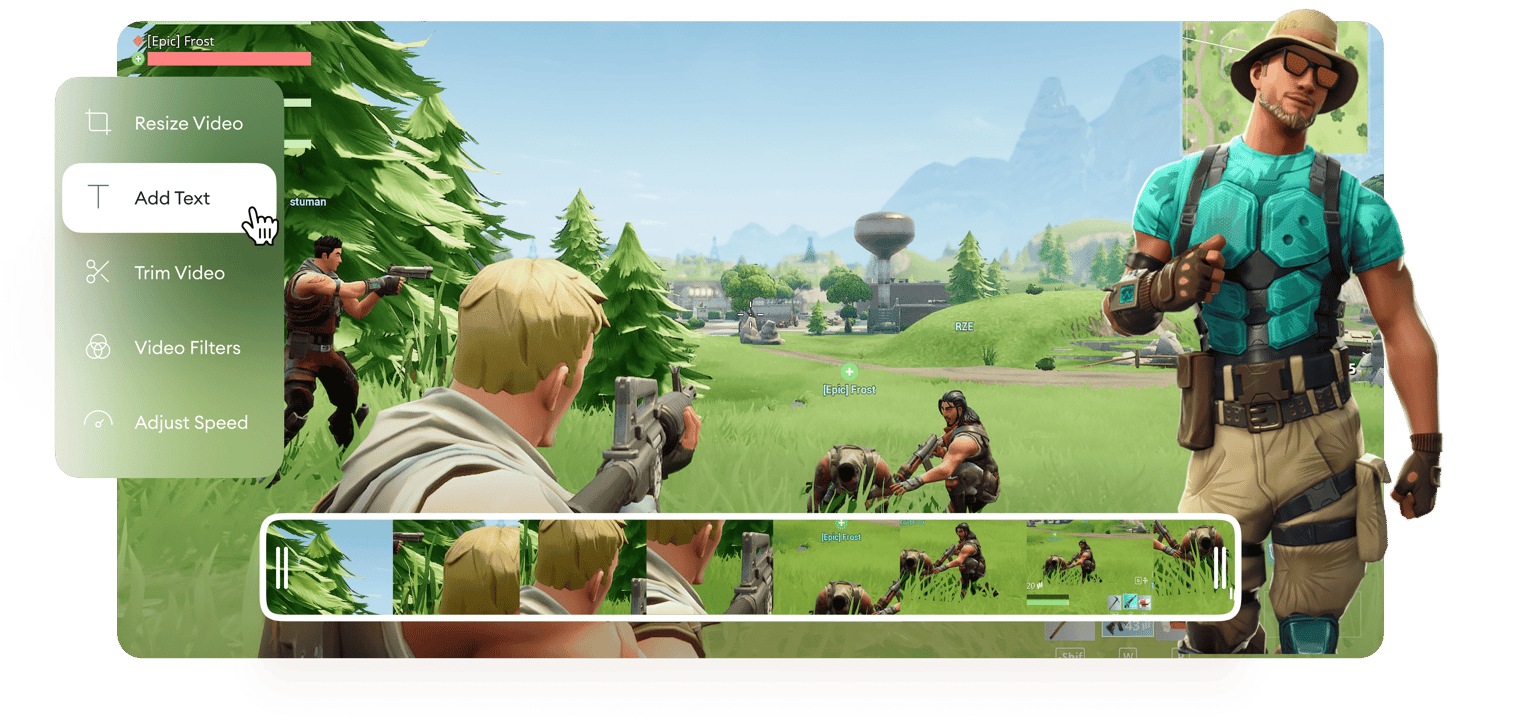
Make your gaming channel come to life by adding intros to your gaming videos. Whether your gaming channel is on YouTube, TikTok, or a social media page, you can get more views and increase your engagement by adding intros. Add exciting effects and video elements to your gaming videos and screen recordings. And what’s more, you can convert it to fit Instagram, TikTok, Facebook, and more, with just a few clicks. Add text, music, slow-motion effects, video filters, and other camera effects to your videos online, with VEED.
How to Create a Gaming Intro:
Step 01
Choose your video
Choose your video from your folders and upload it to VEED. You can drag and drop your files to the editor.
Step 02
Add gaming intro elements
You can add music, text, and other elements at the start of your video to create a gaming intro. It only takes a few clicks! Click on any element from the left menu and start adding them to the timeline.
Step 03
Export
When you’re happy with your gaming intro, just click on ‘Export’ and your video will be saved to your device.
Learn More
‘Gaming Intro Maker’ Tutorial
Connect with your gaming community
By adding a gaming intro to your videos, you can connect more easily with your gaming community. Add details about your clan or your Twitter and Instagram feed, so everyone stays in the loop! It is super easy to do. Just click on the Text tool from the left menu and start typing. Customize the text with different fonts, colors, and heading styles.
Personalize your gaming intro
With VEED, you have access to endless customization and personalization for your gaming intros. Add your gaming logo to promote your gaming channel, whether it’s on YouTube, Facebook, Instagram, TikTok, or other social media sites. You can add sound effects to make your intros more exciting and so much more.
Add special effects
You can add special effects to grab your fans’ attention and encourage them to watch your entire video. Engage your audience so they will keep coming back to your gaming channel. Speed up, slow down, rotate, filter, crop, trim, and annotate your videos to make them stand out from the rest. And you can do them all online, straight from your browser!
FAQ
- Upload your video to VEED 2. Edit and customize the start of your video to create an intro 3. Download your video
There are so many video editors out there that you can use to create gaming intros but they are often difficult to understand. VEED features an easy-to-use interface that lets you create gaming intros with just a few clicks! Because of this, VEED stands out from the rest and is easily the best app to create gaming intros.
VEED lets you easily add your gaming logo to your gaming intro. Make sure that your logo has a transparent background so it doesn’t obscure the rest of your video. To add your logo, simply click the Upload button and choose your image file from your folder.
VEED’s gaming intro maker is completely free to use! Creating an account is optional but doing so will allow you to access your projects anytime from any device.
Loved by creators.
Loved by the Fortune 500
“
With VEED I didn't need 15 tutorials - I jumped straight in and started editing.

Gwenne Wilcox
Founder,
Brand Brainery
“
You can go beyond choppping things. VEED actually makes my videos look great.

Michael Glover
Demand Gen Manager,
ConvertFlow
“
The first four videos i created with VEED got over 40,000 impressions on LinkedIn.

Travis Tyler
Senior Content Producer,
PandaDoc
“
I found VEED at the right time: if you're making UGC ads and not using Eye Contact Correction and Noise Reduction on VEED you're missing out on ROI.

Sebastian Schurgers
Head of Growth Marketing,
Gronda
“
With VEED I didn't need 15 tutorials - I jumped straight in and started editing.
Gwenne Wilcox
Founder,
Brand Brainery
“
You can go beyond choppping things. VEED actually makes my videos look great.
Michael Glover
Demand Gen Manager,
ConvertFlow
“
The first four videos i created with VEED got over 40,000 impressions on LinkedIn.
Travis Tyler
Senior Content Producer,
PandaDoc
“
I found VEED at the right time: if you're making UGC ads and not using Eye Contact Correction and Noise Reduction on VEED you're missing out on ROI.
Sebastian Schurgers
Head of Growth Marketing,
Gronda
“
The first four videos i created with VEED got over 40,000 impressions on LinkedIn.
Travis Tyler
Senior Content Producer,
PandaDoc
“
I found VEED at the right time: if you're making UGC ads and not using Eye Contact Correction and Noise Reduction on VEED you're missing out on ROI.
Sebastian Schurgers
Head of Growth Marketing,
Gronda
“
With VEED I didn't need 15 tutorials - I jumped straight in and started editing.
Gwenne Wilcox
Founder,
Brand Brainery
“
You can go beyond choppping things. VEED actually makes my videos look great.
Michael Glover
Demand Gen Manager,
ConvertFlow
Discover more
- 2D Intro Maker
- Anime Intro Maker
- Company Intro
- Cooking Intro
- DJ Intro Maker
- Dubstep Intro Maker
- Education Intro Maker
- Free video intro maker for Youtube
- Intro & Outro Maker
- Minecraft Intro Maker
- Movie Intro Maker
- Neon Intro
- News Intro Maker
- Podcast Intro Maker
- Sports Intro Maker
- Tech Intro
- TV Show Intro Maker
- Twitch Intro Maker
Trusted by 1M+ creators
When it comes to amazing videos, all you need is VEED
No credit card required
More than a gaming intro maker
VEED is packed with incredible video editing tools that let you do so much more than just create intros for your gaming videos. If you want to edit the rest of your video, you don’t need to look for another app. You can perfect your entire video right within VEED! You can also use VEED to create other fun types of videos. Create music videos for YouTube, instructional or gaming tutorial videos, screen recordings, and more. You can even edit YouTube videos by simply pasting the link into VEED’s editor!