


Trusted by 1M+ creators
Photo Animation Maker
Create videos from photos with animation effects
No credit card required
4.6
2,100+ reviews















Animate photos and turn them into a video!
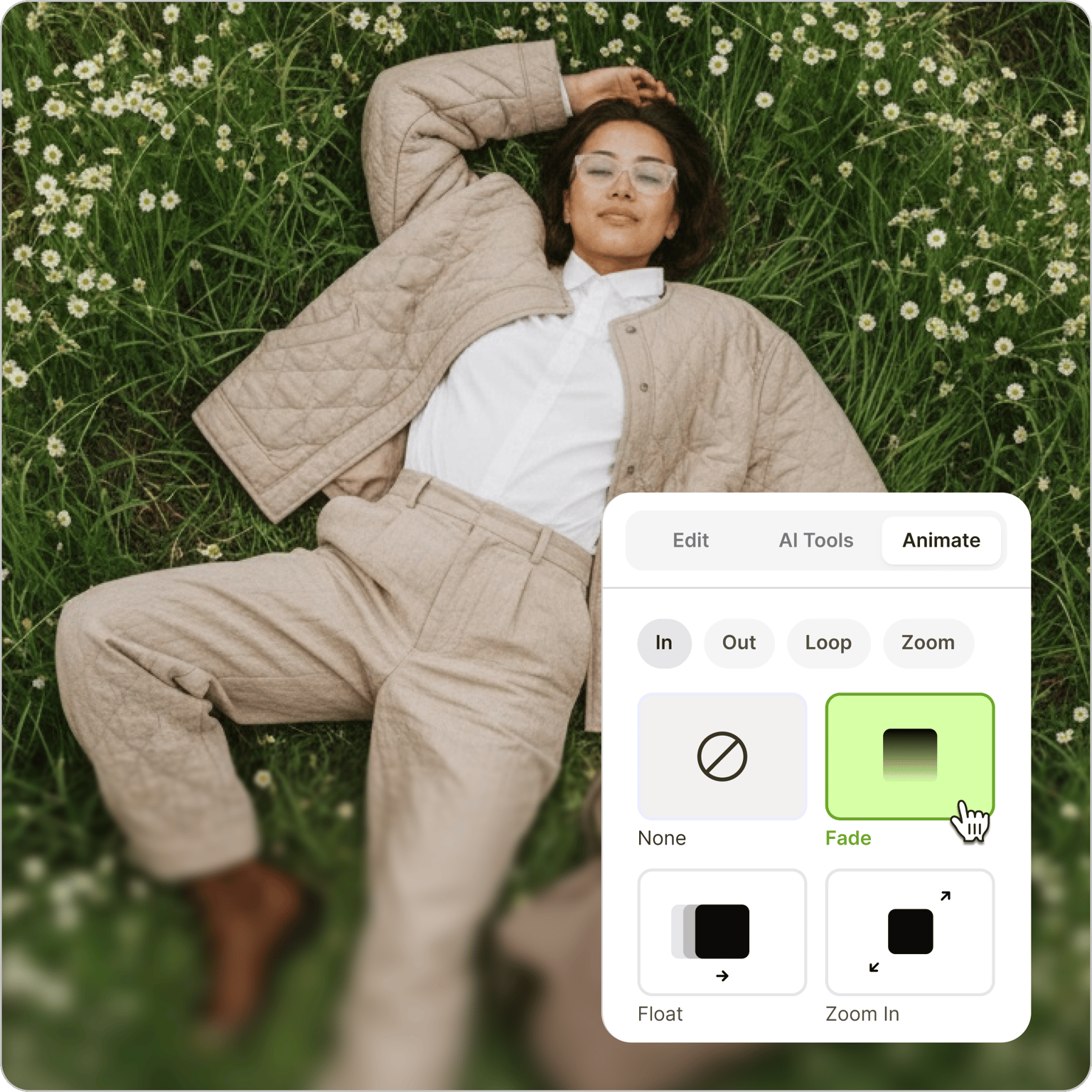
VEED's photo animation maker lets you add animation effects to photos and turn them into a video — directly in your browser. Upload your photos, click on each one, and select an animation style: bounce, slide up, Ken Burns, fade, and more. Add music or sound effects from the stock library, and export when it's ready. Royalty-free stock access is available on paid plans — see the pricing page for details.
How to create a photo animation:
Step 01
Upload
Upload your photos to VEED. With our Animation features, our video editor also works as a photo animation web app!
Step 02
Animate
Click on a photo and click on Animation on top of the left panel. Select an animation style. Feel free to use our wide range of video editing tools to make your video look amazing!
Step 03
Export
Export your video and share!
Learn More
‘Photo Animation Maker’ Tutorial
Online picture animator
Create animated photo videos in your browser — no app to install. Add animated video clips from VEED's stock library, layer in sound effects and background music, and export as a video file.
Annotate, draw, add stickers, texts, and more!
Beyond photo animations, add text overlays and animate them too — choose font, color, size, and placement across multiple layers. Draw arrows, underline key points, create speech bubbles, and add subtitles for accessibility.
Create the perfect video for social media
VEED includes preset canvas sizes for Facebook, Instagram, YouTube, TikTok, and other platforms. Select a preset and your video resizes automatically — no manual cropping needed.
FAQ
You can animate photos using a photo or video editor, depending on what effects you want. With VEED, you can enjoy a bunch of animations like texts, graphics, transitions, and more.
- Upload your photos to VEED.
- Click on a photo on the canvas and click Animation.
- Select an animation style, and edit your video.
- Download your video and share!
Use VEED for free to turn static images into an animated video clip. You can add as many photos as you want, make those pictures move via our animation effects, and export everything in a single video.
You can create a moving picture effect using apps or tools like VEED. On VEED, just select an animation style after clicking on a photo inside the canvas. You can make your photo bounce, fade in, fade out, add a Ken Burns effect, and more!
While there are many other free video editors out there, VEED stands out because of its ease of use and its incredibly clean interface. You can create photo animations in just minutes!
Loved by creators.
Loved by the Fortune 500
“
With VEED I didn't need 15 tutorials - I jumped straight in and started editing.

Gwenne Wilcox
Founder,
Brand Brainery
“
You can go beyond choppping things. VEED actually makes my videos look great.

Michael Glover
Demand Gen Manager,
ConvertFlow
“
The first four videos i created with VEED got over 40,000 impressions on LinkedIn.

Travis Tyler
Senior Content Producer,
PandaDoc
“
I found VEED at the right time: if you're making UGC ads and not using Eye Contact Correction and Noise Reduction on VEED you're missing out on ROI.

Sebastian Schurgers
Head of Growth Marketing,
Gronda
“
With VEED I didn't need 15 tutorials - I jumped straight in and started editing.
Gwenne Wilcox
Founder,
Brand Brainery
“
You can go beyond choppping things. VEED actually makes my videos look great.
Michael Glover
Demand Gen Manager,
ConvertFlow
“
The first four videos i created with VEED got over 40,000 impressions on LinkedIn.
Travis Tyler
Senior Content Producer,
PandaDoc
“
I found VEED at the right time: if you're making UGC ads and not using Eye Contact Correction and Noise Reduction on VEED you're missing out on ROI.
Sebastian Schurgers
Head of Growth Marketing,
Gronda
“
The first four videos i created with VEED got over 40,000 impressions on LinkedIn.
Travis Tyler
Senior Content Producer,
PandaDoc
“
I found VEED at the right time: if you're making UGC ads and not using Eye Contact Correction and Noise Reduction on VEED you're missing out on ROI.
Sebastian Schurgers
Head of Growth Marketing,
Gronda
“
With VEED I didn't need 15 tutorials - I jumped straight in and started editing.
Gwenne Wilcox
Founder,
Brand Brainery
“
You can go beyond choppping things. VEED actually makes my videos look great.
Michael Glover
Demand Gen Manager,
ConvertFlow
Discover more
Explore related tools
Trusted by 1M+ creators
When it comes to amazing videos, all you need is VEED
No credit card required
More than a photo animation maker
Animating photos is one way to bring still images to life for social media. VEED is an AI video creation platform where you can generate, fine-tune, and export videos for TikTok, Instagram, YouTube, and LinkedIn. Take your animated photos further with image-to-video AI to generate fluid motion from any photo — no manual animation needed. Create your first video now.