


Trusted by 1M+ creators
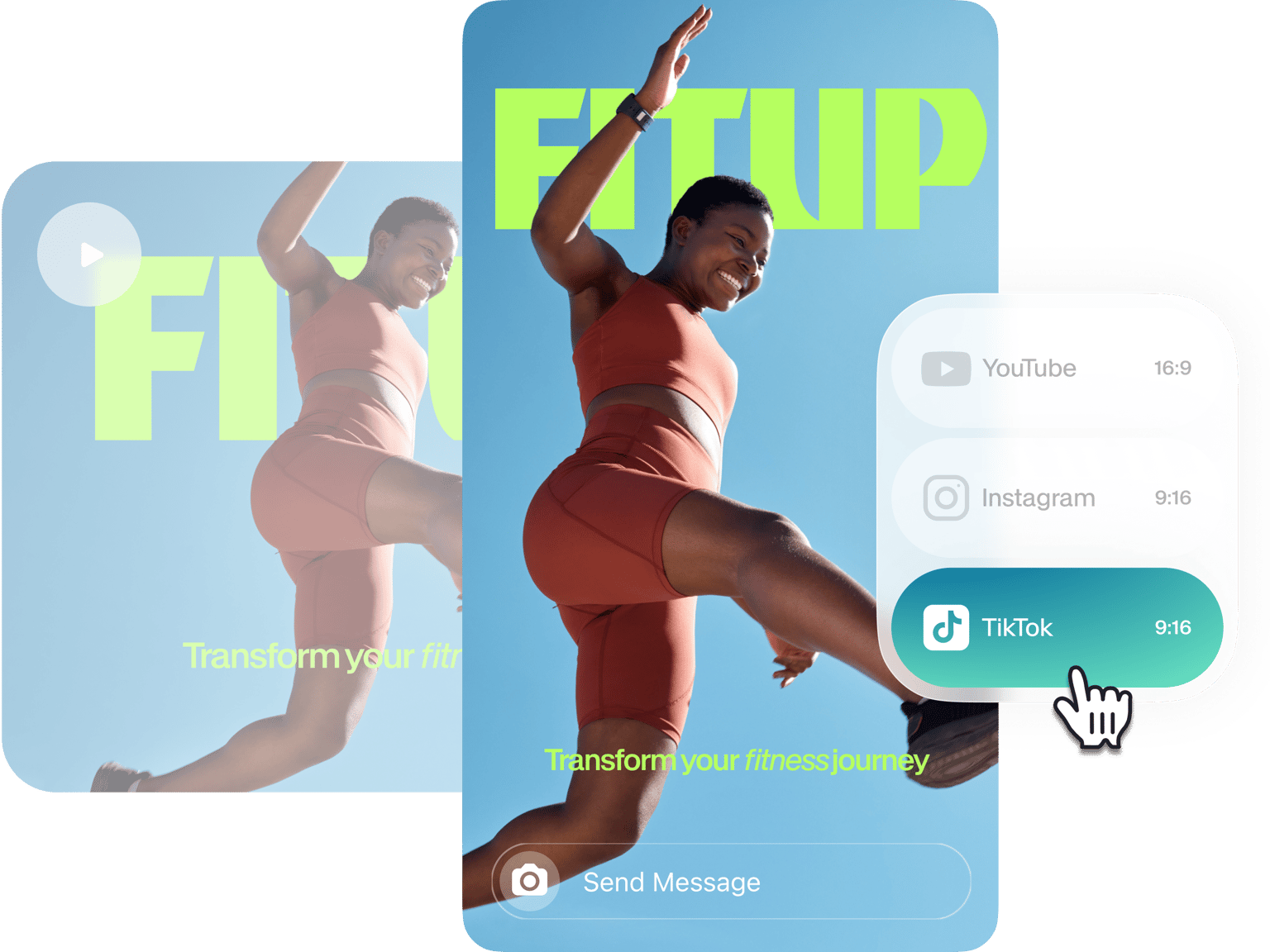
Resize Video for Instagram Story
Resize your videos for YouTube, Instagram, Twitter, and more - with a single click!
No credit card required
4.6
2,100+ reviews















Resize your Video for Instagram Story online, free!
Want to change your video dimensions so it perfectly fits Instagram? With VEED’s intuitive video editor, you can easily resize your video to fit any preset size and make awesome video content! Whether a newbie or expert, VEED’s software is for every content creator who wants to produce their best work. And we know that resizing your video is part of producing your best work. There’s no need to download any software with VEED. Simply upload your video to begin resizing for Instagram and other social media platforms. It’s simple. Save time by using VEED’s software. Start to maximize your online productivity and get more amazing video content onto Instagram, with VEED!
How to Resize Your Videos for Instagram Story
Step 01
Upload
Click on ‘Resize Video’ and upload your video to VEED.
Step 02
Resize
Click ‘Settings’ and then click ‘Canvas’ dropdown menu to select dimensions. For your IG Story select aspect ratio - 1080px x 1920px | 9:16 (vertical video). Click and drag the corners of your video to fit within the new aspect ratio frame.
Step 03
Download
Download the file as an MP4 (compatible with Instagram) and share your resized video with followers and friends!
Learn More
‘Resize Video for Instagram Story’ Tutorial
Maintaining quality
Quality is crucial. We know you don’t want to lose quality resizing your video. You want your resized video at the highest possible resolution. Whether you want to resize in portrait (4:5), square (1:1), vertical (9:16), or any other aspect ratio, VEED ensures your video will be rendered without any unnecessary pixelation. With VEED you can create up to 4K resolution, professional video content, without worrying about any loss in quality
Engage your audience
Having engaging content for your audience is key. Using VEED’s video resizer means optimizing your content and maximizing audience engagement. VEED’s online video resizer allows you to engage with your audience through any video, on any platform.
Resizing for Instagram and more
With VEED, it’s easy to resize your video for Instagram, YouTube, Twitter, and more. It only takes a couple of clicks and you can repurpose a single video for multiple platforms. Become a content king or queen, getting likes and building followers across the various worlds of social media.
FAQ
- Upload your video 2. Choose a new aspect ratio to fit desired dimensions 3. Click and drag corners of the video to fit the new aspect ratio 4. Share your resized video!
- Upload your video 2. Select aspect ratio- 1080px x 1920px | 9:16 (vertical video) 3. Click and drag corners of the video to fit the new aspect ratio 4. Share your video to IG stories!
For Instagram aspect ratios there is; 4:5 portrait, 1:1 square, 1.91:1 landscape. Other aspect ratios include; - Reels - 1080px x 1920px | 9:16 - IG Stories- 1080px x 1920px | 9:16 (vertical video) - IGTV video- Vertical video, 9:16 | Horizontal video, 16:9
The best Instagram video format is MP4 (H.264 Codec & AAC audio, 3,500 kbps video bitrate), frame rate- 30 fps (frames per second), length- a maximum of 60 seconds, width- maximum video width is 1080 px (pixels) wide.
Your video should be converted to an MP4 file format. This is the ideal Instagram video format. You retain the quality of your video this way. Compression reduces the file of your size, potentially distorting the quality.
Loved by creators.
Loved by the Fortune 500
“
With VEED I didn't need 15 tutorials - I jumped straight in and started editing.

Gwenne Wilcox
Founder,
Brand Brainery
“
You can go beyond choppping things. VEED actually makes my videos look great.

Michael Glover
Demand Gen Manager,
ConvertFlow
“
The first four videos i created with VEED got over 40,000 impressions on LinkedIn.

Travis Tyler
Senior Content Producer,
PandaDoc
“
I found VEED at the right time: if you're making UGC ads and not using Eye Contact Correction and Noise Reduction on VEED you're missing out on ROI.

Sebastian Schurgers
Head of Growth Marketing,
Gronda
“
With VEED I didn't need 15 tutorials - I jumped straight in and started editing.
Gwenne Wilcox
Founder,
Brand Brainery
“
You can go beyond choppping things. VEED actually makes my videos look great.
Michael Glover
Demand Gen Manager,
ConvertFlow
“
The first four videos i created with VEED got over 40,000 impressions on LinkedIn.
Travis Tyler
Senior Content Producer,
PandaDoc
“
I found VEED at the right time: if you're making UGC ads and not using Eye Contact Correction and Noise Reduction on VEED you're missing out on ROI.
Sebastian Schurgers
Head of Growth Marketing,
Gronda
“
The first four videos i created with VEED got over 40,000 impressions on LinkedIn.
Travis Tyler
Senior Content Producer,
PandaDoc
“
I found VEED at the right time: if you're making UGC ads and not using Eye Contact Correction and Noise Reduction on VEED you're missing out on ROI.
Sebastian Schurgers
Head of Growth Marketing,
Gronda
“
With VEED I didn't need 15 tutorials - I jumped straight in and started editing.
Gwenne Wilcox
Founder,
Brand Brainery
“
You can go beyond choppping things. VEED actually makes my videos look great.
Michael Glover
Demand Gen Manager,
ConvertFlow
Discover more
More from VEED

How To Resize Video For Instagram For Free (Quick And Easy)
Learn how to resize videos for Instagram in SECONDS with VEED.

How to Add Music to an Instagram Post, Reel, or Story in 2026
Adding music to your Instagram content makes the video much more interactive and engaging while building retention among viewers. Here's how to do it for any Instagram post format.

What is the Best Time to Post on Instagram? [2023 Guide with Cheatsheets]
Struggling to get engagement on Instagram? The problem isn't your content — it's the timing of your posts. Check out the best times to post on Instagram.
Trusted by 1M+ creators
When it comes to amazing videos, all you need is VEED
No credit card required
More than a Video Resizing Tool for Instagram Story
VEED helps you create the best content possible. VEED is a powerful video editor that allows content creators to produce inspiring, innovative videos, drive engagement, attract followers and boost sales. With VEED’s intuitive editing tools, you can easily create engaging content. VEED is accessible to all users, no video editing experience required. Use VEED today and see how far you can take your creative content!