


Trusted by 1M+ creators
Zoom In Transition
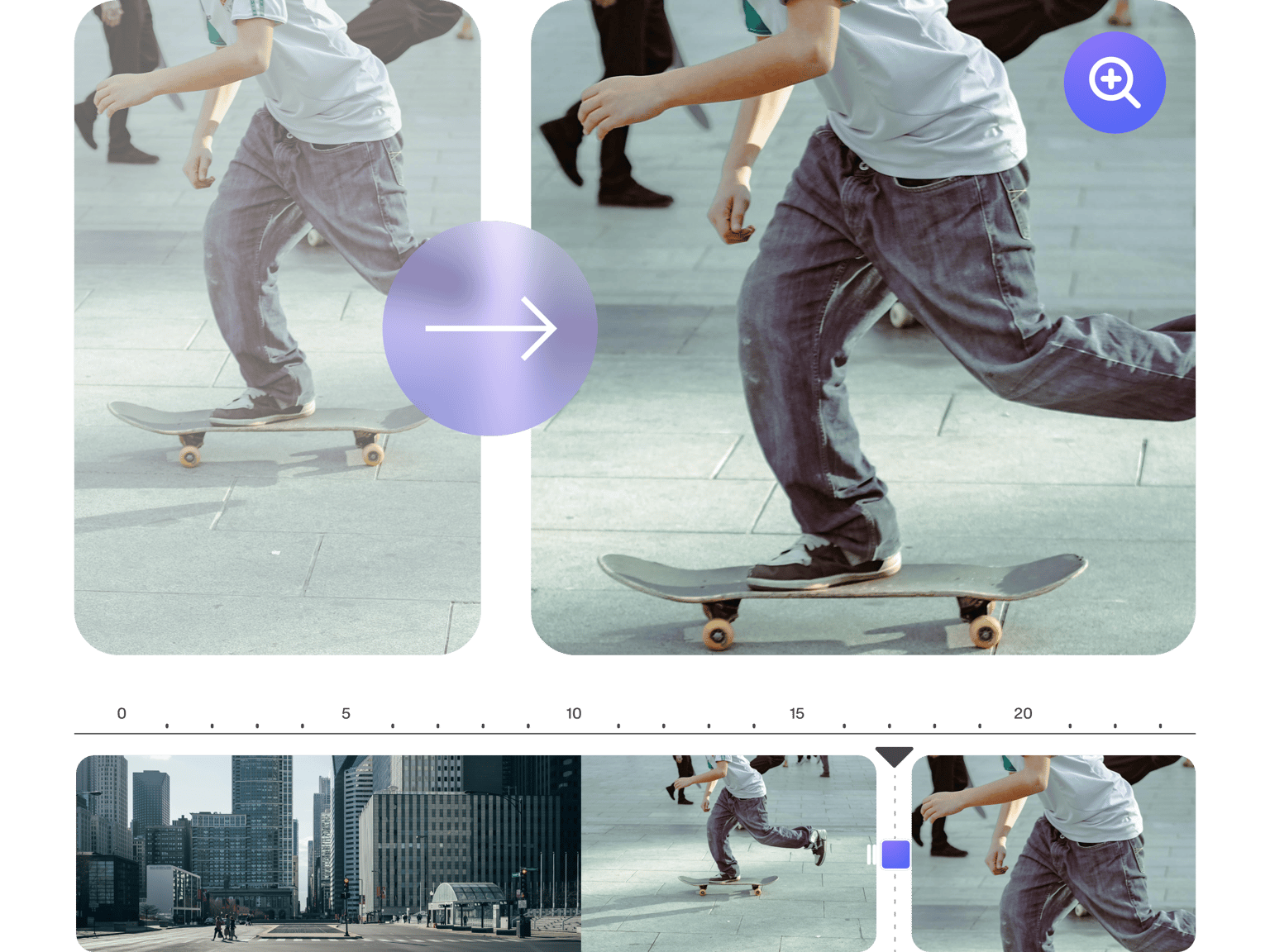
Add a zoom-in and zoom-out transition effect between video clips; create trailers for movies, podcasts, and more!
No credit card required
4.6
2,100+ reviews















Add beautiful transition effects to your videos and create movie trailers, podcast intros, and more!
Use VEED to add different types of transition effects in between video clips to create trailers and other promotional videos. Transition effects help you create a powerful intro or outro so your message stays with your viewers well after they’ve watched your content. Add a zoom-in and zoom-out effect using our Transitions tool! You can even apply this effect to your PowerPoint slides. Our online professional video editing software can do it fast—so you can focus on planning your content and engaging with your followers online! It’s the best alternative to expensive software like Adobe Premiere Pro.
How to Add Zoom-In Transitions to Video
Step 01
Upload, record, or start with a template
Upload your video to VEED or start recording using our webcam recorder. You can also start with a video template!
Step 02
Add transition effects
Click Transitions from the left menu. Select the transition style that you want and drag and drop it between two clips.
Step 03
Export and share!
Export your video and start sharing it on your YouTube channel and social media pages!
Learn More
‘Zoom-In Transition Effect’ Tutorial
Adding video effects made easy for all content creators
Our video editor features all the pro tools you need to create stunning content! VEED offers video creators an extensive toolkit of eye-catching video effects—whether you’re making videos for business, education, or marketing. Add a fade-in and fade-out transition effect to your video. Pixelate, blur, invert, animate—the choice is yours! Plus, you can add your logo to promote your brand on social media using our brand kit (available in premium).
Collaborate with your creative team
Creatives enjoy using VEED because it’s fast and features plenty of integrations. Work together on projects in any video format (MP4, MOV, WEBM, AVI, etc.), and for any type of project—social media marketing, education, presentations, and more. You will have one dashboard where you can add all collaborators so you can work on content together!
Optimize and repurpose content for multiple social media platforms
VEED’s video transition effects can be used to align your videos to a specific trend, season, mood, or audience. Plus, you can use our preset canvas sizes to download videos for YouTube, Facebook, Instagram, and more. Keep your content up to date using our wide range of video editor effects. It’s a powerful professional video editing software that makes repurposing your content across all platforms fast and hassle-free!
FAQ
Upload your video to VEED or upload several video clips. Drag and drop the zoom-in or zoom-out or any transition effect from the Transitions menu in between two clips.
VEED lets you optimize your videos for various social media platforms like TikTok and Instagram. Add transition effects and quickly resize your video to make it fit any social media site!
A fade-in transition effect is a video editing style that lets you ease your viewers into the video. It can fade it from white or black.
VEED has effects to match any popular style, theme, or mood. Choose an effect that enhances your story and matches the feel of your video. Feel free to experiment with different filters and effects until you find the perfect match. There’s no right or wrong answer.
Loved by creators.
Loved by the Fortune 500
“
With VEED I didn't need 15 tutorials - I jumped straight in and started editing.

Gwenne Wilcox
Founder,
Brand Brainery
“
You can go beyond choppping things. VEED actually makes my videos look great.

Michael Glover
Demand Gen Manager,
ConvertFlow
“
The first four videos i created with VEED got over 40,000 impressions on LinkedIn.

Travis Tyler
Senior Content Producer,
PandaDoc
“
I found VEED at the right time: if you're making UGC ads and not using Eye Contact Correction and Noise Reduction on VEED you're missing out on ROI.

Sebastian Schurgers
Head of Growth Marketing,
Gronda
“
With VEED I didn't need 15 tutorials - I jumped straight in and started editing.
Gwenne Wilcox
Founder,
Brand Brainery
“
You can go beyond choppping things. VEED actually makes my videos look great.
Michael Glover
Demand Gen Manager,
ConvertFlow
“
The first four videos i created with VEED got over 40,000 impressions on LinkedIn.
Travis Tyler
Senior Content Producer,
PandaDoc
“
I found VEED at the right time: if you're making UGC ads and not using Eye Contact Correction and Noise Reduction on VEED you're missing out on ROI.
Sebastian Schurgers
Head of Growth Marketing,
Gronda
“
The first four videos i created with VEED got over 40,000 impressions on LinkedIn.
Travis Tyler
Senior Content Producer,
PandaDoc
“
I found VEED at the right time: if you're making UGC ads and not using Eye Contact Correction and Noise Reduction on VEED you're missing out on ROI.
Sebastian Schurgers
Head of Growth Marketing,
Gronda
“
With VEED I didn't need 15 tutorials - I jumped straight in and started editing.
Gwenne Wilcox
Founder,
Brand Brainery
“
You can go beyond choppping things. VEED actually makes my videos look great.
Michael Glover
Demand Gen Manager,
ConvertFlow
Discover more
Trusted by 1M+ creators
When it comes to amazing videos, all you need is VEED
No credit card required
More than adding a zoom-in transition
VEED lets you do so much more than just add zoom-in and zoom-out transition effects to your videos. On our online video editor, you’ll find a selection of cool features you can use to create stunning videos. Add watermarks, logos, progress bars, emojis, cartoons, background music, subtitles, translations, and so much more! VEED is a powerful video editor for content creators like you! We are continuously adding new tools to your creative toolkit - allowing you to create more powerful and engaging video content than ever before. Try VEED today and start creating amazing-looking videos to share your stories with the world!