


Trusted by 1M+ creators
Facebook Video Editor
Edit existing Facebook Videos & create videos for Facebook in minutes
No credit card required
4.6
2,100+ reviews















Easy Facebook Video Editor
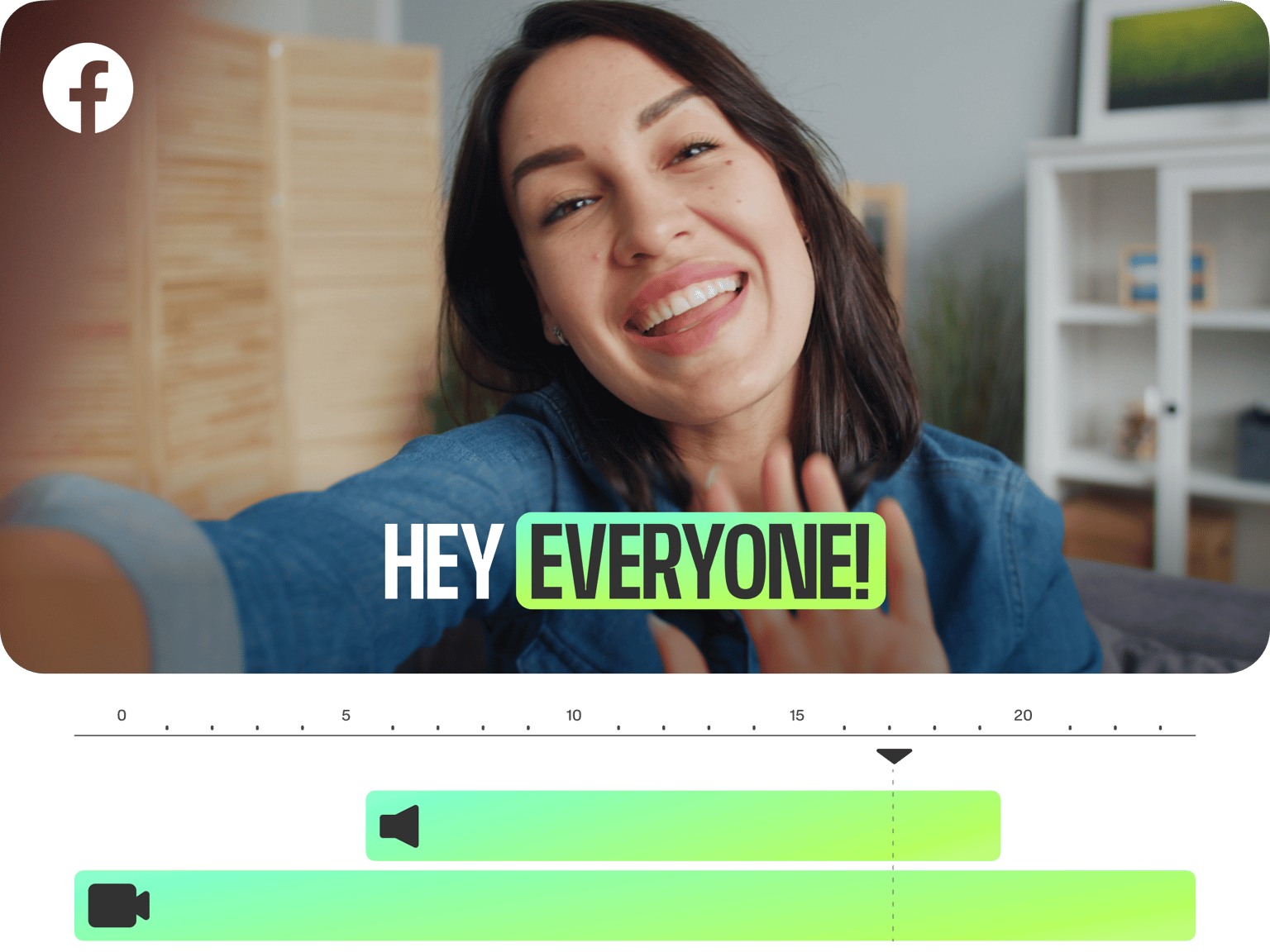
Are you looking to edit videos for Facebook, Facebook Live, Facebook Cover Videos? Then VEED is the place for you! With VEED you can edit existing Facebook videos, or create new videos and resize them for Facebook with just one click. VEED is an online video editor that allows you to create amazing videos for social media platforms in a matter of minutes. Our fast, easy-to-use interface means you won’t be left scratching your head. No video editing experience needed, you can create stunning videos for social media in just a few clicks.
How to Edit Facebook Videos
Step 01
Select Your Video
Upload your video file. Just drag and drop. If it’s an existing Facebook video, simply download it from Facebook first, then add it to VEED
Step 02
Cut, Crop, Rotate, Add Text, Music and more!
You can edit your Facebook video however you want. VEED’s toolset is so easy to use, you don’t need any previous editing experience
Step 03
Save & Share
Simply press the ‘Export’ button to save your new edited video. Then share it (on Facebook, or any social media platform) with followers and friends!
Learn More
‘Edit Facebook Video’ Tutorial
Editing Software that’s Everywhere
VEED is an online video editing app that works on your windows (pc), mac, linux, and across all mobile devices. You can get started right away, with no software to download and no signup needed
Fast, Easy, Free
Our interface is super user-friendly, fast, and (best of all!) free to use! You can try it out for no cost, just click the blue button above!
Add Music
You can add music to a Facebook video (even remove the audio first) it’s super easy to do, just click the video in the timeline to adjust the video’s volume, then hit ‘Upload’ to add a new music track (be sure to check out some of the great royalty free music sites online)
Aspect Ratio
Resize any video to perfectly fit Facebook, Facebook Live, and Facebook Cover videos with just one click. Simply go to ‘Settings’ > ‘Size’ and choose the aspect ratio you want
FAQ
Yes. Facebook has a basic video editor, click ‘Publishing Tools’ (in the left menu), then choose the video from your ‘Video Library’. However, Facebook is a social media platform, not a video editor. For an easy to use, online video editor, try VEED. It’s free.
Go to your Facebook page, click the video (or live broadcast) you want to trim, click ‘Edit Video’, and select ‘Trimming.’ For an improved video editing experience you can also upload that video to VEED and enjoy the range of editing options and easy to use timeline for trimming.
You can’t change a video in an existing post. But you can download the video, edit it using VEED, and create a new post.
Make sure your video is short and to the point. (Less than 2 minutes). Be sure to add subtitles using VEED, as 85% of Facebook Videos are watched without sound. Make it look professional by adjusting brightness and contrast, and cutting and trimming to make it snappy. Lastly, create a great thumbnail so people will click!
Loved by creators.
Loved by the Fortune 500
“
With VEED I didn't need 15 tutorials - I jumped straight in and started editing.

Gwenne Wilcox
Founder,
Brand Brainery
“
You can go beyond choppping things. VEED actually makes my videos look great.

Michael Glover
Demand Gen Manager,
ConvertFlow
“
The first four videos i created with VEED got over 40,000 impressions on LinkedIn.

Travis Tyler
Senior Content Producer,
PandaDoc
“
I found VEED at the right time: if you're making UGC ads and not using Eye Contact Correction and Noise Reduction on VEED you're missing out on ROI.

Sebastian Schurgers
Head of Growth Marketing,
Gronda
“
With VEED I didn't need 15 tutorials - I jumped straight in and started editing.
Gwenne Wilcox
Founder,
Brand Brainery
“
You can go beyond choppping things. VEED actually makes my videos look great.
Michael Glover
Demand Gen Manager,
ConvertFlow
“
The first four videos i created with VEED got over 40,000 impressions on LinkedIn.
Travis Tyler
Senior Content Producer,
PandaDoc
“
I found VEED at the right time: if you're making UGC ads and not using Eye Contact Correction and Noise Reduction on VEED you're missing out on ROI.
Sebastian Schurgers
Head of Growth Marketing,
Gronda
“
The first four videos i created with VEED got over 40,000 impressions on LinkedIn.
Travis Tyler
Senior Content Producer,
PandaDoc
“
I found VEED at the right time: if you're making UGC ads and not using Eye Contact Correction and Noise Reduction on VEED you're missing out on ROI.
Sebastian Schurgers
Head of Growth Marketing,
Gronda
“
With VEED I didn't need 15 tutorials - I jumped straight in and started editing.
Gwenne Wilcox
Founder,
Brand Brainery
“
You can go beyond choppping things. VEED actually makes my videos look great.
Michael Glover
Demand Gen Manager,
ConvertFlow
Discover more
More from VEED

How to Rotate a Video (6 Quick & Easy Ways)
How to easily rotate a video whether you're on your desktop, mobile, or on your web browser.

This is the Best YouTube Banner Size (and Examples of Great Channel Art)
Here's the best size for your YouTube banner and everything you need to know to make eye-catching channel art.
12 Best Free Screen Recorders to Try in 2025
Recording your screen is a necessity for content creators, freelancers, and teachers, to name a few. So, we’ve compiled a list of 11 best free screen recorders to try this year!
Trusted by 1M+ creators
When it comes to amazing videos, all you need is VEED
No credit card required
More than a Facebook Video Editor
With VEED you can do a lot more than just add captions to a Facebook video, add music, and create great profile videos. VEED is a fully stacked online video editing app that lets you create stunning videos for any social media platform and share them with followers and friends. Check out our amazing features like green screen, automatic subtitles, and subtitle translation. All online, and free to try!